Every photo tells two stories. The first is the one your camera records: the date, the lens, the aperture, the shutter speed. The second is the one only you know: where you were, what you called it, why it mattered.
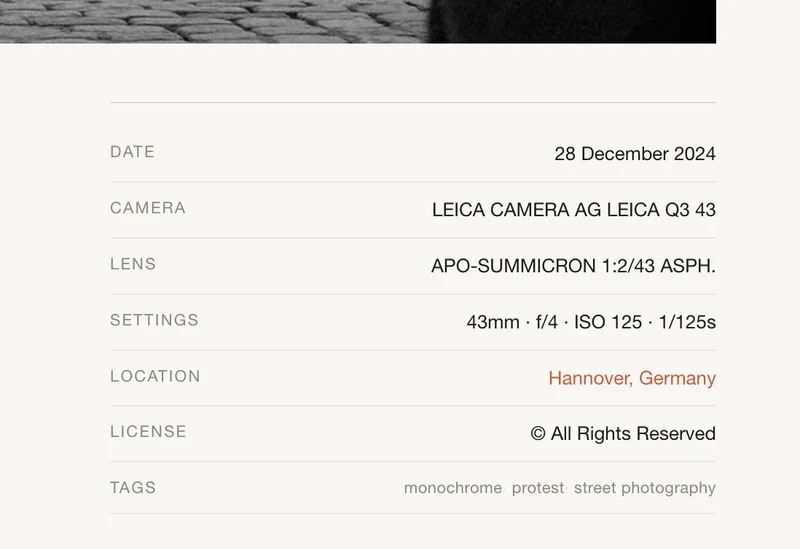
Obscura's sidecar workflow is designed to capture both — automatically where possible, manually where necessary, and without making you repeat yourself.
What Happens at Build Time
When you run npm run build, Obscura does three things with each photo:
- Reads EXIF data from the image file — date, camera, lens, focal length, aperture, ISO, shutter speed.
- Checks for a sidecar — a YAML file with the same name sitting next to the image (e.g.,
morning-light.yamlbesidemorning-light.jpg). - Merges them — sidecar values win when both sources have the same field. Empty sidecar fields don't override EXIF.
If a photo doesn't have a sidecar yet, Obscura creates one, pre-filled with whatever EXIF data it found. The generated file looks like this:
# Auto-generated by Obscura — feel free to edit
title: ""
date: 2024-06-15
camera: LEICA CAMERA AG LEICA Q2
lens: SUMMILUX 1:1.7/28 ASPH.
location: ""
caption: ""
tags: []
Date, camera, lens — already filled in. Title, location, caption, tags — waiting for you.
The Sidecar Editor
You could edit those YAML files by hand, but Obscura has a better way. Run:
npm run sidecar
The editor walks you through each photo one by one. It shows a preview in your terminal, displays the EXIF context, and prompts for the missing fields. Press Enter to keep the current value, type something new to replace it. Changes save immediately.
You can filter by gallery, or narrow to only photos missing a specific field — useful when you've imported a batch and just want to title everything before publishing.
Why YAML, Not a Database
Sidecar files are plain text. They live next to your photos in site/content/photos/. They're committable to git — only the photo binaries themselves are gitignored, so your YAML metadata travels with your repository. You can search them, diff them, batch-edit them with any text tool.
There's no import/export step. No proprietary format. No migration when you switch tools. Your metadata library is a folder of small text files that will be readable in fifty years.
Why This Matters
Many portfolio tools manage metadata through web interfaces — which works well for small collections but can feel limiting when you want to batch-edit, version-control, or move your data somewhere else.
Obscura takes a different approach: your metadata lives in plain text files next to your photos. It travels with them, it's in a format you control, and it merges cleanly with what your camera already knows. The tedious part — camera settings, dates — is handled. The creative part — titles, stories, context — is where your time goes.
That's the sidecar workflow. Your camera does the bookkeeping. You do the storytelling.